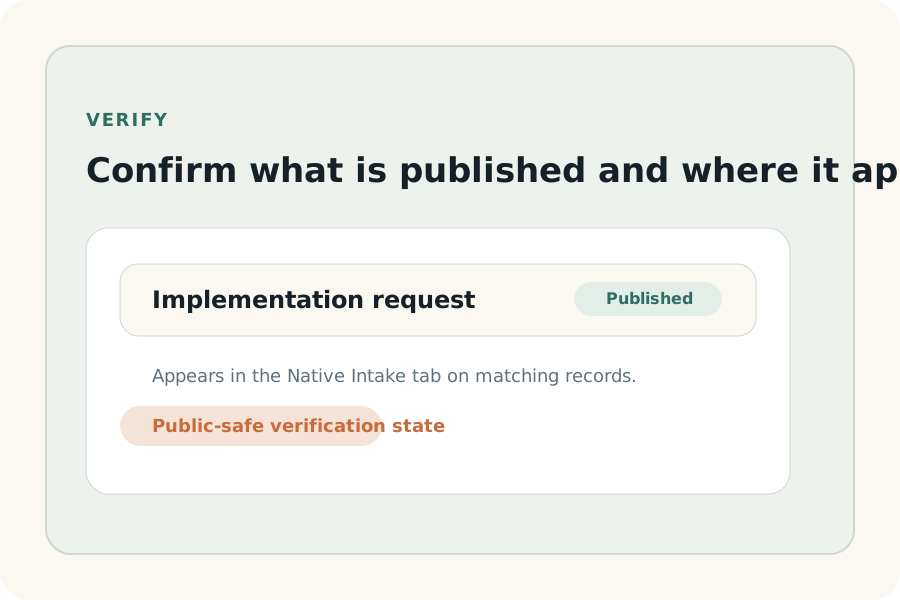
These docs are the operator-facing version of the trust story. They describe what Native Intake can be claimed to do publicly today, where it runs, what admins control, and which stronger claims remain intentionally outside the supported launch posture.
Supportable proof starts with native placement inside HubSpot settings and the CRM record tab.
Admin control is part of the trust model: object scope, publish state, and intended outcome stay visible.
The docs should reduce trust debt by refusing claims the launch state has not yet earned.
Use the narrowest truthful proof that still helps a buyer decide.
This route now opens with the same procedural shell as the other utility docs and
keeps the proof boundary anchored to a visible publish-state frame instead of
abstract trust theater.
Supportable proof
Use the narrowest truthful proof that still helps the buyer decide.
These statements are the safe operational center of gravity for the
launch-state trust story.
Supported surfaces
Current public-safe placement
Native Intake can be described as running in a dedicated HubSpot settings surface and in the CRM record tab for supported records.
Admin control
Configuration remains narrow and legible
The trust-safe story is one form, one record type, one explicit intended outcome, and visible publish state before rollout expands.
Rollout posture
Use a demo-led or pilot-first motion for risk-sensitive buyers
The launch-safe commercial path is still selective. Trust comes from showing one supportable workflow clearly instead of implying broad self-serve maturity.
Commercial truth
Trust includes package language, not just feature proof.
The launch-state trust boundary includes exact package definitions so
buyers hear the same meaning for active intake, submission, and
portal before install and after support engagement.
Active intake
A published intake that can be used in the live portal
Count only published intakes that are available for real use in the installed HubSpot portal.
Submission
One successful intake submission counted at the portal level in a calendar month
Count successful submissions against the installed portal's monthly total rather than per user or per form draft.
Portal
One installed HubSpot account
Launch packaging assumes one subscription maps to one installed HubSpot portal by default.
Claims out of bounds
Do not spend trust you have not earned.
The launch-state product can attract the right buyers without broader
technical or commercial claims. Keep these outside the supportable
promise until validation and approval are explicit.
Do not claim hardened tenant isolation, enterprise-grade governance, or security review outcomes that are not already validated and approved.
Do not promise visible post-submit proof on the record, ticket creation, or broader automation breadth unless the exact behavior is confirmed for public use.
Do not imply that any account can self-serve into a broad rollout without support or qualification.
Related routes
Move between buyer-facing trust and operator-facing docs cleanly.
These links keep the trust conversation connected to the install and
support path without forcing users back into internal planning files.
Buyer-facing trust page
Use the shorter trust page when the reader needs rollout framing rather than the full operational proof boundary.